When your wolf microwave won’t heat right after installation, the number-one cause is Demo or Showroom mode being switched on — it animates the panel and turntable but delivers no power, so check that before assuming anything is broken.
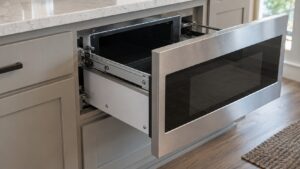
Wolf microwaves — the MD/MWD drawer, the MDD drop-down, and the MC/MS/SPO built-ins — are symptom-only appliances with no error-code chart, only status words such as DEMO, PF, LOCK and END, so diagnosis follows observed behavior rather than a code lookup. We start with the everyday causes you can check yourself, then explain the signs that point to a part that genuinely needs a hands-on repair.
What a wolf microwave won’t heat usually means
Wolf microwaves (MD/MWD drawers, MDD drop-down, MC/MS/SPO built-ins) are symptom-only with no error-code table — only status words like DEMO, PF, LOCK and END. Demo mode is meant for showroom display, so it deliberately produces no heat. Once it is off, a unit that still will not heat points to the magnetron, the high-voltage capacitor, or the diode.
First checks you can do
Start with the checks you can safely do yourself. Each one rules out a common, inexpensive cause, and together they resolve the majority of cases without a service visit:
- Look for a DEMO indicator and turn Demo/Showroom mode off (consult the menu for your model).
- Confirm the door is closing fully and latching — an open-door failure stops heating.
- Make sure a cook time and power level were actually entered.
- Power-cycle the unit at the breaker for 30 to 60 seconds.
Take these in order and confirm whether the problem has cleared before moving to the next. If you do end up needing help, having worked through them gives the technician a useful head start.
Common symptoms and what they point to
Matching the exact symptom to its likely cause is how you avoid replacing the wrong part. Compare what you are seeing to the patterns below:
- DEMO on display — Demo/Showroom mode; no heat by design. Turn it off.
- Runs but no heat after Demo is off — magnetron, HV capacitor, or diode.
- Dead panel — power supply, LCD board, or a door switch.
- Blown monitor fuse — a door-interlock failure; stop using the unit.
If more than one pattern fits, start with the simplest cause and confirm it is clear before moving on, so no part is bought before the diagnosis is certain. The aim is to narrow the field down to a single likely cause, because that is what turns an open-ended problem into a quick, affordable fix.
Getting it right for the long run
If the basics here do not clear it, resist the urge to start swapping parts at random. The remaining causes usually involve a specific component that needs testing, and a confident diagnosis is what keeps the repair affordable and the appliance reliable afterward. A skilled technician can confirm the cause, fit a genuine Wolf part, and stand behind the labor, which is a better outcome than guesswork. Knowing where the line falls between an easy self-fix and a real repair is the most useful thing to take from this guide.
Putting it together
Work the checks above in the order given. Most Wolf microwave problems of this kind clear at one of the early, owner-checkable steps; the ones that do not point to a specific part and are worth a proper diagnosis rather than guesswork. Move from the simplest cause outward, confirm each step before the next, and treat a returning code or a lingering symptom as your cue to bring in help. A little routine care afterward prevents most repeat calls, since Wolf builds these microwaves to a high standard.
Related reading: Wolf microwave drawer won’t open, our microwave repair service, and the schedule a visit page.
Book Wolf microwave service
If these steps do not resolve it, our experienced technicians repair Wolf microwaves with genuine parts and a 30-day labor guarantee. Schedule a visit, see what our microwave repair service covers, or confirm your model details on the manufacturer’s site at subzero-wolf.com/wolf.