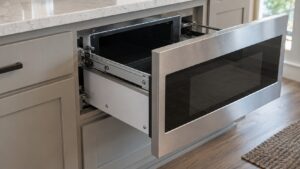
What Touchpad Unresponsive means (wolf microwave touchpad unresponsive)
When a wolf microwave touchpad unresponsive, button presses are ignored or misread. The most common, simplest causes are the control lock being on or cabinet pressure pressing on the panel, followed by a touch-membrane or control-board failure.
Symptoms to look for
The signs below help confirm you are dealing with this condition rather than a different problem on your Wolf microwave. You may see one of them or several together, and they can appear gradually or suddenly after a power event, a self-clean cycle, a spill, or recent service.
- Buttons do not respond or register wrongly
- The control may show a lock indicator
- The problem followed a tight cabinet install
- The display otherwise lights normally
Common causes
Several different problems can produce these symptoms. Working through the most likely causes in order separates a quick owner-level check from a problem that needs trained service and the correct Wolf parts.
- Control lock on — the lock feature blocks input
- Cabinet pressure — a tight install presses on the panel
- Touch membrane failure — the membrane has failed
- Control board or ribbon problem — a loose connector or failed board
Troubleshooting steps you can try
Work through these checks in order before calling for service. Stop wherever you are unsure, or where mains voltage, gas, a hot oven cavity, or a sealed component is involved, and hand the rest to a qualified technician.
- Check whether the control lock is on and turn it off per your model.
- Confirm the trim or cabinet is not pressing on the control panel.
- Power off at the wall for a minute, then try the controls again.
- If the touchpad stays unresponsive, leave it for service.
Parts a technician may replace
Depending on what the diagnosis shows, a technician may inspect, test, or replace the control lock, touch membrane, control board, ribbon connector, and cabinet fit. The correct part for your Wolf microwave is matched from the model and serial number, and genuine Wolf components are fitted through trusted parts suppliers rather than generic substitutes so that performance, safety, and the appliance’s long working life are all protected. Confirming the failed part before ordering avoids replacing more than the problem actually requires.
When to call a technician
A touchpad that stays unresponsive with the lock off and no cabinet pressure needs a technician to test the membrane and control board. When the fix calls for trained service, book a visit through our scheduling page and an experienced, qualified technician will diagnose and repair it.
Prevention and care
Regular care keeps this condition from returning on your Wolf microwave. Keep filters, vents, burner ports, igniters, seals, and the cooling-fan path clean, avoid blocking airflow, check that doors and knobs seat cleanly, and follow the Wolf use-and-care guidance for your model. Note when the symptom first appeared and what changed around the same time — a recent clean cycle, a spill into an igniter well, a power event, or recent service — because that detail often points a technician straight to the cause and keeps the repair simple.
Related help and Wolf resources
Browse other Wolf Microwave diagnostics, read about Wolf Microwave repair, look up your unit in the Wolf models reference, or the related drawer won’t open, or schedule a service visit. For Wolf manufacturer documentation and model lookup, visit the manufacturer at subzero-wolf.com.